Instagram Broadcast Channel Join Kaise Kare : Instagram पर आप अपनी audience से Direct Connect रहने के लिए Instagram Broadcast Channel Create कर सकते है ये बिल्कुल वैसे काम करता है जैसे की WhatsApp पर आपकी Broadcast list होती है.
Instagram Followers तक तो आपका content पहुँचता ही है लकीन अगर आप चाहते है की direct आप अपनी audience को अपने Content जैसे की exclusive updates, photos & Videos, Voice Notes, polls, Important announcements, new reels , और behind-the-scenes content तुरंत पंहुचा सके तो आप Broadcast channel की मदद ले सकते है.
Instagram Broadcast Channel की मदद से आप एक बार मे ही बहुत सारे लोगो तक अपना message पंहुचा सकते है बस शर्त इतनी है की ये सभी लोग आपके Broadcast Channel मे joined होने चाहिए.
आये थोड़ा अच्छे से समझते है की Instagram Broadcast Channel क्या होता है?
Instagram Broadcast Channel क्या होते है ?
Instagram Broadcast Channel Instagram का वो Features है जिस की मदद से Creators अपनी audience को एक जगह इकट्ठा कर लेते है और कुछ भी urgent message या updates रही वो एक साथ सभी को भेजनें मे सफल होते है.
इसकी मदद से Creator को बहुत फयदे है जैसे की बिना ज्यादा मेहनत के वे एक साथ अपने सभी channel members को message update कर पाते है और देखा गया है की channel मे भेजे गए message पर काफ़ी अच्छी engagement और reach मिलती है ये message सभी को deliver होते है.
आसान और सरल भाषा मे इसके features को समझे – Broadcast Channel Instagram का एक One way messaging वाला नया Feature है जहाँ सिर्फ Creator ही message कर सकता है Channel के सभी Followers को वो message Receive होता है, Followers return Message नहीं कर सकते वे सिर्फ receive हुए message पर Reaction दे सकते है , or Polls मे participate कर सकते है.
यह feature creators, business owners, और influencers के लिए बहुत ज्यादा useful है क्यों की इसकी मदद से ये लोग अपनी audience के साथ consistent connect रह सकते हैं। साथ ही Broadcast channel एक organized तरीका है जिस से आप अपनी important updates अपनी audience के साथ share करते है.
लोग Instagram Broadcast Channel join क्यों करते है?
लोग Instagram Broadcast Channel उन्ही Creators का join करते है जिनका content उन्हें पसंद आता है useful लगता है और वे उनका कोई भी important message, post या information miss नहीं करना चाहते है. जितने भी creators होते है वे अपने Instagram Broadcast channel के through अपनी audience को इन form मे message भेजते है :-
- Text updates
- Photos & videos
- Voice notes
- Polls
- Important announcements
- New reel / post alerts
Instagram Broadcast Channel Join Kaise Kare? (Step-by-Step)
Instagram Broadcast Channel Join करने के लिए हम आपको कुछ अलग अलग method बतायेगे जिस से आप अपने Favorite Creator’s के Broadcast Channel Join कर पाएंगे
Method 1: Direct Link से Join करना
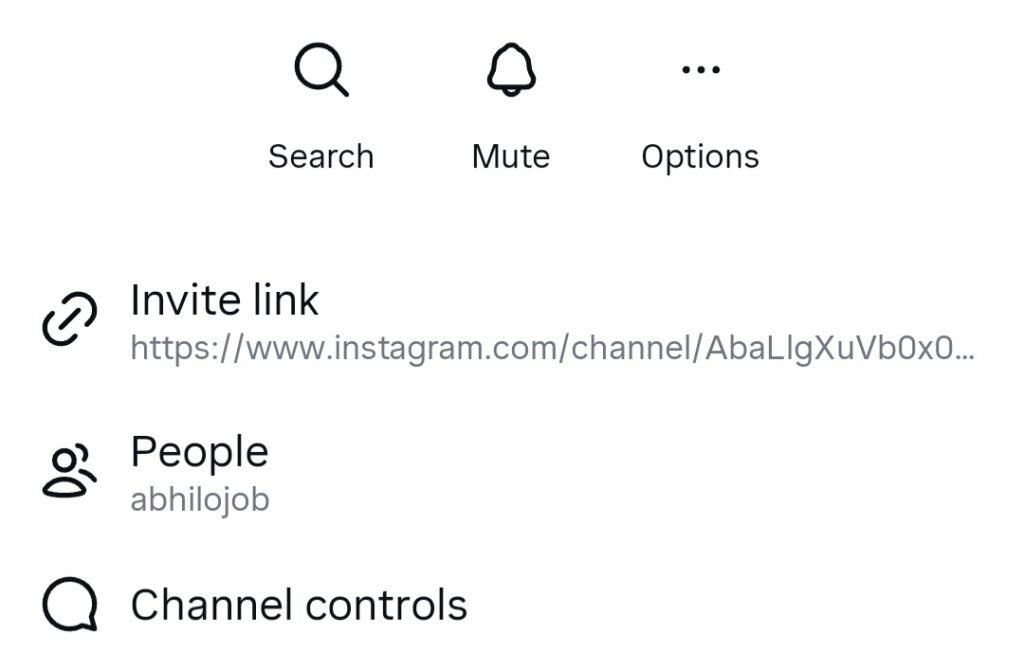
Instagram Broadcast Channel Join करने का सबसे आसान तरीका है direct link से join करना। जब कोई creator अपने broadcast channel का link share करता है, तो उस link को tap करें।
इस से आप सीधे उनके Broadcast channel पर चले जायेगे यहाँ आपको “Join” या “Subscribe” का button दिखेगा – इसे tap करें और Broadcast Channel join कर ले । इस तरह आप channel के member बन गए।
Method 2: Stories से Join करना
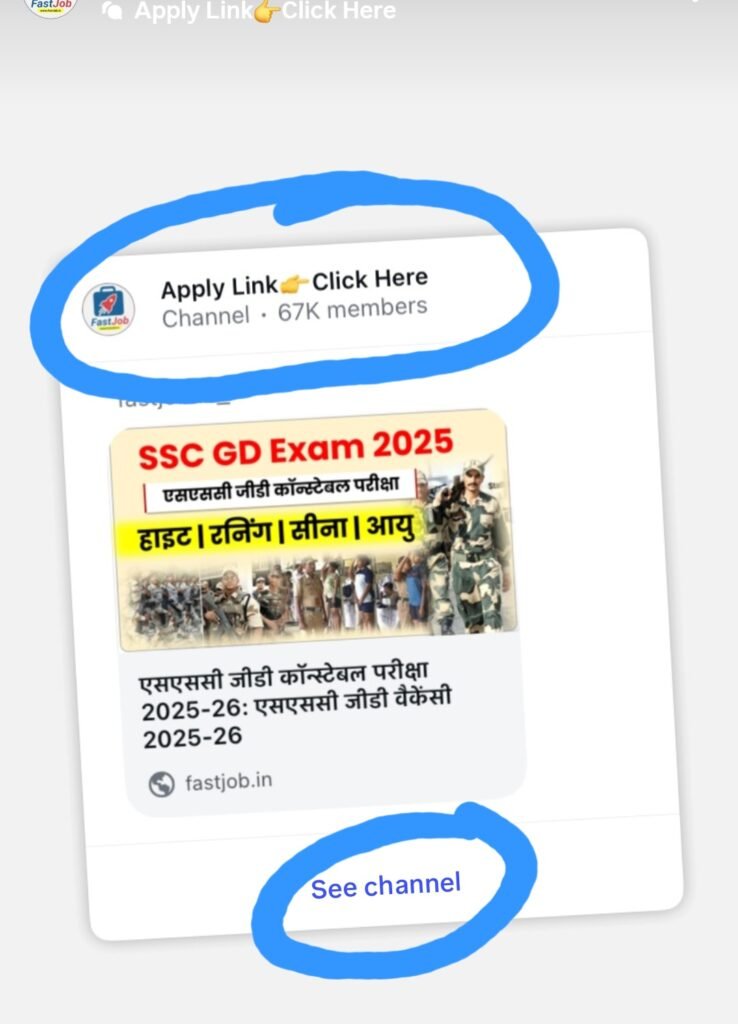
मैंने देखा है बहुत सारे creators अपने Instagram Stories में broadcast channel को promote करते है उस का link share करते हैं।
इसलिए जिस भी creator के broadcast channel को आप join करना चाहते है उनको follow करिये फिर जब भी वे अपनी story मे channel का link mention करेंगे तब आप उस link पर tap कर के Channel join कर लेना.
Method 3: Bio Link से Join करना
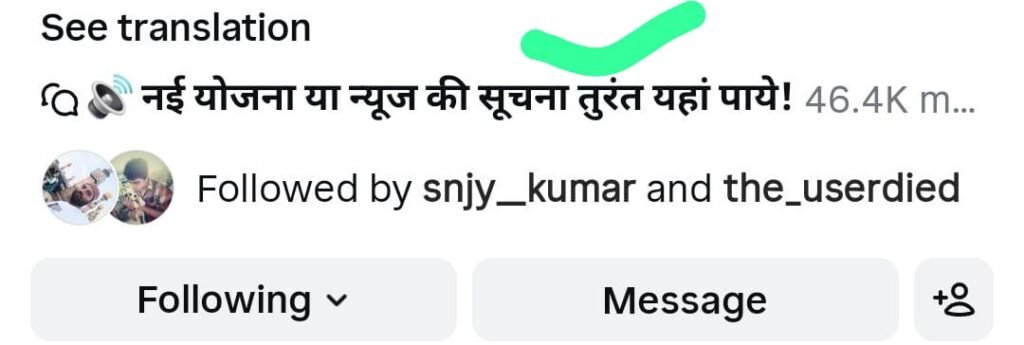
जितना आपको जरूरत है आपके favorite creators के channel का member बनाने की उतना ही creators को भी अपनी audience build करनी की जरूरत होती है.
Creators अपने Instagram bio में broadcast channel का link add करते हैं। इसलिए आप उनकी Profile खोलें, bio पढ़ें, और अगर वहां आपको broadcast channel का link देख रहा है तो उस को tap कर के join कर ले.
Method 4: Direct Message से Join करना
Creator अपने Broadcast members को बढ़ाने के लिए DM के through broadcast channel invitation भेजते हैं। अगर आपके messages में भी notification आया है तो आप us invite link से भी broadcast channel join कर ले link पर tap करके सीधे channel पर जाये और join करें.
Method 5: Explore या Recommendations से
खुद Instagram भी कभी-कभी channel का recommendations दिखाता है। अगर आपके interests का कोई broadcast channel आपको देख रहा है तो आप उसे “Join” button दबा कर subscribe कर सकते हैं।
Instagram Channel Join करने के बाद क्या होगा ?
जब आप Broadcast Channel join कर लेंगे तो आपको इस से कई फयदे है जैसे की
Notifications मिलना शुरू हो जायेगे
जब आप Instagram Broadcast Channel join कर लेंगे उसके बाद, जब भी creator कोई नया message channel मे send करेंगे , आपको notification मिलेगी। आप settings से notifications customize कर सकते हैं।
Channel Messages Section में दिखेगा
Broadcast channel आपके Instagram messages section में दिखने लगेगा। जिस से आप जब चाहे कभी भी वहां जाकर previous messages देख सकते हैं।
Exclusive Content Access
Join करने का सब से अच्छा फयादा ये है की आपको वह content मिलेगा जो सिर्फ channel members को दिया जाता है। कई creators exclusive updates, early announcements, या special offers broadcast channel के through देते हैं। ये आपको भी मिलेंगे.
Broadcast Channel Join करने के फायदे
अपने favorite Creators के Broadcast Channel को join करने के बहुत सारे फयदे है जैसे की
1.Regular Updates मिलती है
आप अपने पसंदीदा creators से regular updates unke Broadscast Channel के जरिये receive करते रहेंगे चाहे वह news हो, tips हो, या announcements, यह सब update का पता आपको easily मिल जायेगा.
2. Exclusive Information
Broadcast channels अक्सर exclusive content और early access provide करते हैं। जितने भी Broadcast Channel Members होते है उनको ये फयादा मिलता है बहुत सारे creators channel पर special offers या first announcements देते हैं।
3.Direct Connection बना रहता है
कुछ creators अपने broadcast channel मे comments allow करते है , जिस से आप directly creators से interact भी कर सकते हैं। यह regular posts पर comments करने से बेहतर है क्योंकि creator channel पर ज्यादा focus करते है उन को directly notification मिलता है।
4.Spam-Free
Channel मे Update receive करना ज्यादा बेहतर है इस आपके feed में clutter नहीं होगा। सभी messages एक dedicated section में होंगे, जिससे आप अपना feed clean रख सकते हैं।
Channel Settings को Manage करना
Broadcast channel को आप अपने हिसाब से Customized कर सकते है इस से आपको काफ़ी सहूलियत होंगी जैसे की :-
Notifications Customize करें
अगर आप multiple Channel join कर चुके है तो आप चुन सकते हैं कि कौन से channels से notifications चाहिए और किस से नहीं. इसके लिए आप Messages app खोलें, channel को long press करें, settings देखें। यहां notification preferences set कर सकते हैं।
Channel को आप Mute कर के रख सकते है
बार बार किसी channel की बहुत सारी notifications आ रही हैं, तो आप उसे mute कर के भी रख सकते हैं। जिस से Mute किए गए channels से notifications नहीं आएंगी, लेकिन आप jab चाहे manually जा कर channel के message check कर सकते हैं।
आप Unsubscribe भी कर सकते है
अगर आप ने कोई channel join किया है बाद मे वो channel उतना useful नहीं लग रहा तो आप उस channel को आसानी से leave कर सकते हैं। इसके लिए आप Channel को long press करें, “Leave Channel” या “Unsubscribe” option tap करें।
Conclusion
अपने Favorite Creator’s के Instagram broadcast channels को join करना बहुत ही आसान है। ऊपर हम ने आपको जो methods बताये है आप उस तरीके से अपने पसंदीदा Creators के channel join कर सकते है.
आप चाहे जिसे भी follow करते हो creators, brands, या local businesses को. अगर उन्होंने अपने Broadcast channel बनाये है तो आप इसी Method के जरिये उनके Broadcast Channel को ढूंढ सकते है और उसे join या subscribe कर सकते है
जिस से आपको भी उनके Regular updates, exclusive content, और special offers की जानकारी मिलती रहे.
बस ध्यान रखें कि आप हमेशा legitimate channels ही follow करें और अपनी notification settings को apne according properly manage करें ताकि आपका Instagram experience smooth और enjoyable रहे।
Read More:-
- Instagram Saved Posts Kaise Dekhe : इंस्टाग्राम पर सेव किए गए पोस्ट कहां मिलते हैं ?
- 10 Step Instagram ka Account Kaise Banaye ? | इंस्टाग्राम में नया अकाउंट कैसे बना सकते हैं (Step-by-Step Guide)
- Instagram Par Story Highlight Kaise Create Kare (Step-by-Step Guide in Hindi)

मेरा नाम Rohit Mourya है मैं इस Blog का Author हूँ मैंने Instagram को खुद इस्तमाल किया है और बहुत कुछ सीखा है अपने अनुभव को share करने के लिए मैंने Insta Soch Blog बनाया है जिस से उन सभी नए Creator की मदद हो सके जो Instagram पर Grow करना चाहते है.